Disclaimer: This article is written for informational purposes only and is based on personal travel experience combined with publicly available information updated as of May 2026. We are not affiliated with Indian Railways, IRCTC, or any official railway authority. App features, discount offers, and station procedures may change — always verify current details through the official RailOne app or Indian Railways’ official channels before travel.
Imagine, you’re at Thiruvananthapuram Central on a humid Tuesday evening, bag on your shoulder, sweat on your neck, and your train is already flashing on the departure board. There are at least eighteen people ahead of you at the unreserved ticket counter. The person at the front is arguing about change.
The clock is not your friend. You watch two people sprint past you toward the platform, tickets already in hand, phones out — and you realise, with a sinking feeling, that they knew something you didn’t. They had scanned a QR code, bought their ticket in ninety seconds flat, and walked straight through while you were still doing the queue math in your head.
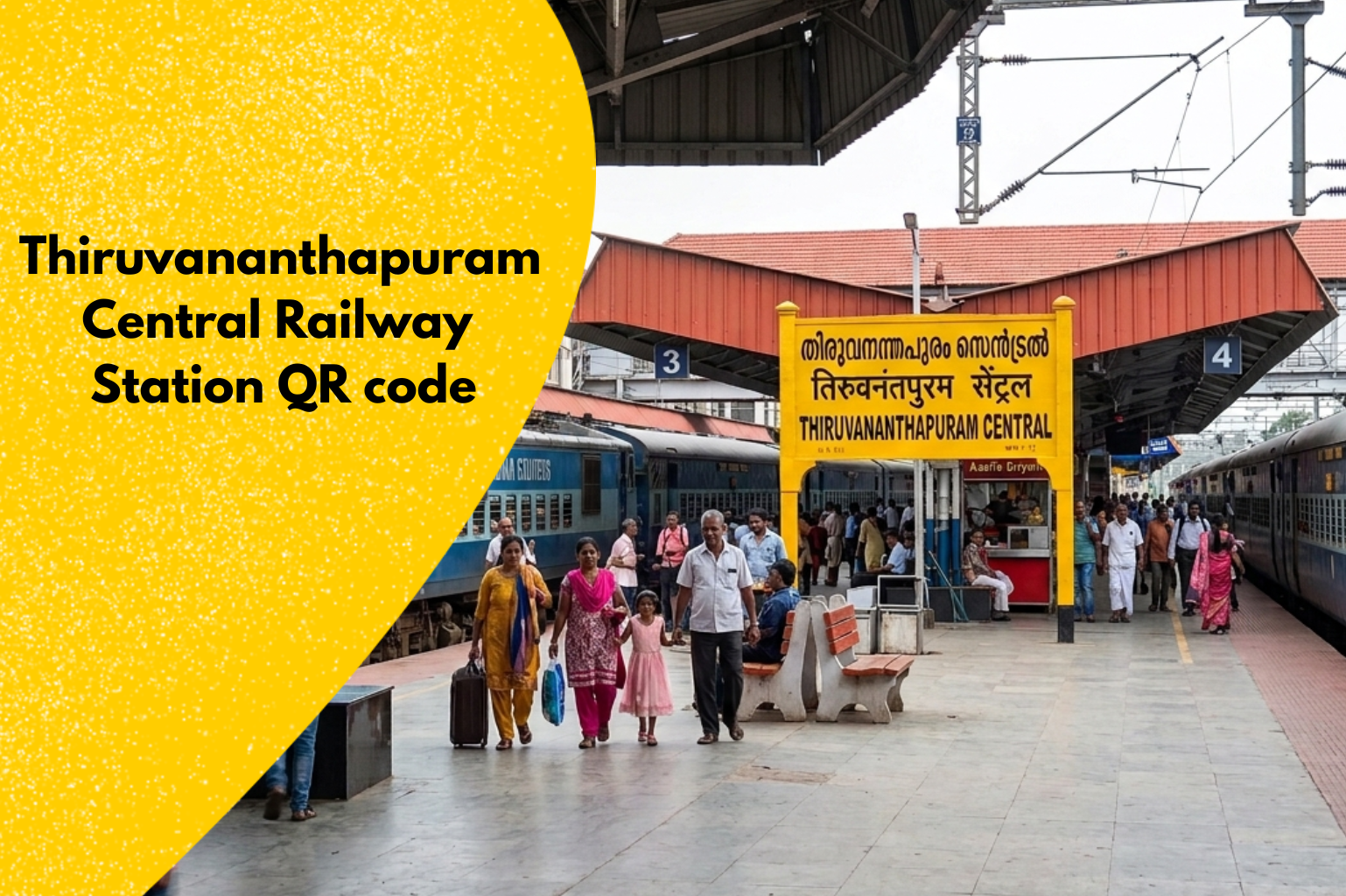
That scene plays out dozens of times every single day at TVC — Kerala’s busiest railway station, pushing over 40,000 passengers through its platforms daily. And the frustrating part? The solution has been sitting right there on the station wall for a while now.
The Thiruvananthapuram Central Railway Station QR code is one of those things that, once you use it the right way, you genuinely wonder how you ever managed without it. No counter. No printed slip. No waiting. Just scan, select, pay, and board — often before the person behind you in the old queue has even shuffled three steps forward.
But here’s where it gets interesting — and where most people get tripped up. Everything about this system changed in early 2026. The app you used before? Retired. The process you memorised? Updated. If you’re walking into TVC in 2026 still thinking the old UTS app is all you need, you’re going to have a bad time.
This guide walks you through exactly how things work right now, what’s new, what are the common Mistakes to Avoid, and a few things about this system that even regular TVC travellers haven’t figured out yet.
What Is the Station QR Code and Why Does It Exist?
Let’s start with something the official websites rarely explain clearly — the “why.”
Indian Railways introduced QR-based unreserved ticketing not just to reduce queues, but to handle a very specific problem: ticket counters can only process so many people per minute, and at a station like Thiruvananthapuram Central (station code: TVC), which handles roughly 40,000+ passengers daily and ranks as Kerala’s busiest railway station, even a five-minute delay at the window means dozens of people miss their trains.
The QR code posted physically at the station essentially acts as a shortcut. When you scan it using the official app, it automatically fills in your origin station — TVC — so you only need to select your destination, choose your ticket type, and pay. What used to take 10–15 minutes in a queue now genuinely takes under two minutes on a decent mobile connection.
Big Update: UTS App Replaced by RailOne (March 2026)
This is the part that catches a lot of frequent travellers off guard, especially those who had the old UTS app saved on their phones for years.
As of March 1, 2026, Indian Railways officially discontinued the UTS (Unreserved Ticketing System) mobile app. The replacement is RailOne — described by railways as a “super app” that brings together unreserved ticketing, reserved seat booking, platform tickets, live train status, PNR checking, Rail Madad complaints, and even food ordering, all under one roof.
The station QR codes — including the Thiruvananthapuram Central Railway Station QR code posted at TVC — remain exactly the same physically. The codes haven’t changed. What changed is the app you scan them with. If you open the old UTS app today, it will no longer allow bookings. You must switch to RailOne.
The good news: if you had an account on UTS or IRCTC Rail Connect, you can log into RailOne with the same credentials. Your existing R-Wallet balance also carries over automatically when you sign in with the registered mobile number.
How to Use the TVC QR Code Step by Step
Here’s the actual process as it works right now:
- Download RailOne : Search for “RailOne” on the Google Play Store or Apple App Store. It’s free and the official app by Centre for Railway Information Systems (CRIS). It had crossed 2 crore downloads within the first six months of launch, so it’s not a small or untested platform.
- Register or Log In : Use your old UTS or IRCTC credentials if you have them. First-time users will need a registered mobile number for OTP verification. Keep location permissions on — the app uses GPS proximity checks to confirm you’re actually at or near the station before allowing paperless ticket booking.
- Find the QR Code at TVC : The physical QR boards at Thiruvananthapuram Central are placed near the booking counters and at key entry/exit points.
- Scan Under “QR Booking” : Inside RailOne, go to the Unreserved Tickets section and look for the QR Booking option. Point your camera at the code — the app auto-fills TVC as your departure station.
- Select Destination and Class : Choose your destination station, the number of passengers, and ticket class (General / Ladies / Senior Citizen, etc.).
- Pay and Travel : Payment options include UPI, debit/credit card, net banking, and the RailOne wallet. Once payment goes through, your digital ticket appears with a QR code that the TTE can scan for verification onboard.
Read More: Kerala State UTS QR Codes
What Types of Tickets Can You Book via QR?
Through the QR booking flow at TVC, you can book:
- Journey Tickets (one-way and return) for unreserved travel
- Platform Tickets — especially useful for family drop-offs at a busy station like TVC
- Season Tickets for regular commuters on routes like TVC–Kollam or TVC–Nagercoil
Reserved seat bookings (sleeper, AC) still go through IRCTC, though RailOne now integrates that too from the same app interface.
Digital Ticket Discount 3% on RailOne
One thing worth knowing – Indian Railways has been running a 3% discount on unreserved tickets booked digitally through RailOne.
This promotional scheme was originally announced from January to July 2026 as an incentive to push people away from paper tickets. If you’re a daily commuter on routes originating from TVC, this adds up meaningfully over weeks and months.
What Nobody Tells You About GPS and the QR Scan
Here’s something I learned the slightly embarrassing way. The RailOne app (and before it, UTS) uses GPS proximity validation before it lets you complete a paperless ticket booking. Sounds simple, but in practice, the GPS signal inside the main TVC station building — especially near the old covered booking hall area — can be weak or slow to lock.
If the app keeps throwing a location error or says you’re “outside the permitted zone” even when you’re clearly standing at the station, try stepping outside the main station entrance toward the road-facing side for 10–15 seconds and refresh the location.
The open sky helps the GPS lock faster. Also, switching on Wi-Fi (even if not connected to a network) sometimes helps the phone triangulate faster through Wi-Fi positioning. Once the GPS locks, you can step back inside and complete the booking without it re-checking your position mid-transaction.
Also — book your ticket before reaching the platform gate, not while walking through it. Movement confuses the GPS validation on some Android phones.
Facilities at TVC That Work Well With Digital Ticketing
TVC isn’t just a functional station — it’s one of the few railway stations in Kerala that earned ISO certification for cleanliness, back in 2019, and has maintained reasonable hygiene standards since. The station has free Wi-Fi across platforms (important for loading the RailOne app smoothly), escalators on major platforms, and a decent food court near the main concourse.
For passengers using the Thiruvananthapuram Central Railway Station QR code for platform access or general travel, the digital flow works best at the main entry-side booking area where both the physical QR boards and mobile signal tend to be strongest. Platforms 4 and 5, which handle longer-route trains toward Tamil Nadu, can sometimes see signal drops — pre-booking your ticket before entering the platform area is always the safer approach.
The station is also undergoing phased redevelopment (a crew retreat building was inaugurated in late 2025), so some physical layouts near the booking counters may look different from what older travel guides describe.
Common Mistakes First-Time QR Ticket Users Make
- Waiting until the last minute: The GPS validation and payment gateway can together take 60–90 seconds on a busy network. If your train is 3 minutes away, you’re cutting it too close. Try to book at least 5–7 minutes before departure.
- Not updating the app: RailOne has seen multiple updates since its July 2025 launch. An outdated version can have bugs with QR scanning. Keep auto-update on.
- Confusing “QR Booking” with showing a QR code: These are two different things. “QR Booking” is how you scan the station’s code to book a ticket. The QR code on your finished ticket is what the TTE scans to verify it. Both involve QR codes, but at opposite ends of the transaction.
- Assuming the station QR always works offline: It doesn’t. You need an active internet connection to complete the transaction. Unlike the printed paper ticket, the digital ticket generation requires server confirmation.
Conclusion
The shift from standing in line to scanning a code sounds like a small thing, but on a monsoon evening at TVC when the platforms are packed and the queue is twenty people deep, it genuinely isn’t. Indian Railways’ QR ticketing infrastructure — now running on RailOne after the UTS app was retired in early 2026 — has matured considerably, and Thiruvananthapuram Central is well set up to support it.
If you haven’t made the switch yet, the practical steps are simple: install RailOne, log in with your existing credentials, enable location access, and the next time you’re at TVC heading somewhere on an unreserved berth, skip the queue entirely. The Thiruvananthapuram Central Railway Station QR code does exactly what it promises — it gets you on the train faster.
FAQ
1. Can I still buy unreserved tickets at the physical counter at TVC?
Yes, absolutely. The QR/app-based system is an addition, not a replacement for counter tickets. The physical booking windows at Thiruvananthapuram Central are operational as always. The digital route simply gives you a faster option.
2. I don’t have the RailOne app. Can I use a browser to book?
The QR-based unreserved ticket booking is app-exclusive — it doesn’t work via a mobile browser. You’ll need to install RailOne for QR-triggered bookings. Reserved tickets can still be booked on the IRCTC website without the app.
3. Does the QR code at TVC work for all trains or only certain ones?
The station QR covers unreserved (general) travel on any train originating or stopping at TVC. It doesn’t distinguish by train — you just pick your destination. For reserved class tickets, use the RailOne reserved booking section or IRCTC.
4. My old UTS app still opens. Why isn’t it working for bookings?
As of March 1, 2026, the UTS app’s booking functionality was officially disabled. The app may still open but will not process new ticket purchases. Download RailOne to resume mobile ticketing.
5. Can I scan the Thiruvananthapuram Central QR code from third-party websites before reaching the station?
For security and accuracy, you should only scan the official physical QR code boards located inside Thiruvananthapuram Central station. Avoid downloading or scanning station QR codes from third-party websites or unofficial blogs, as they may be outdated or insecure. Always ensure the entire booking and payment process happens strictly inside the official RailOne app.
6. What if I forget to show my digital ticket to the TTE?
Your digital ticket stays in the RailOne app under “Booked Tickets.” TTEs are trained to scan the QR on the digital ticket for instant verification. Just have your phone unlocked and the ticket screen ready.